Automation
n8n: How to Automate Business Workflows and Reduce Repetitive Work
One thing I regularly notice when working with business websites is how much time people spend moving information between applications.
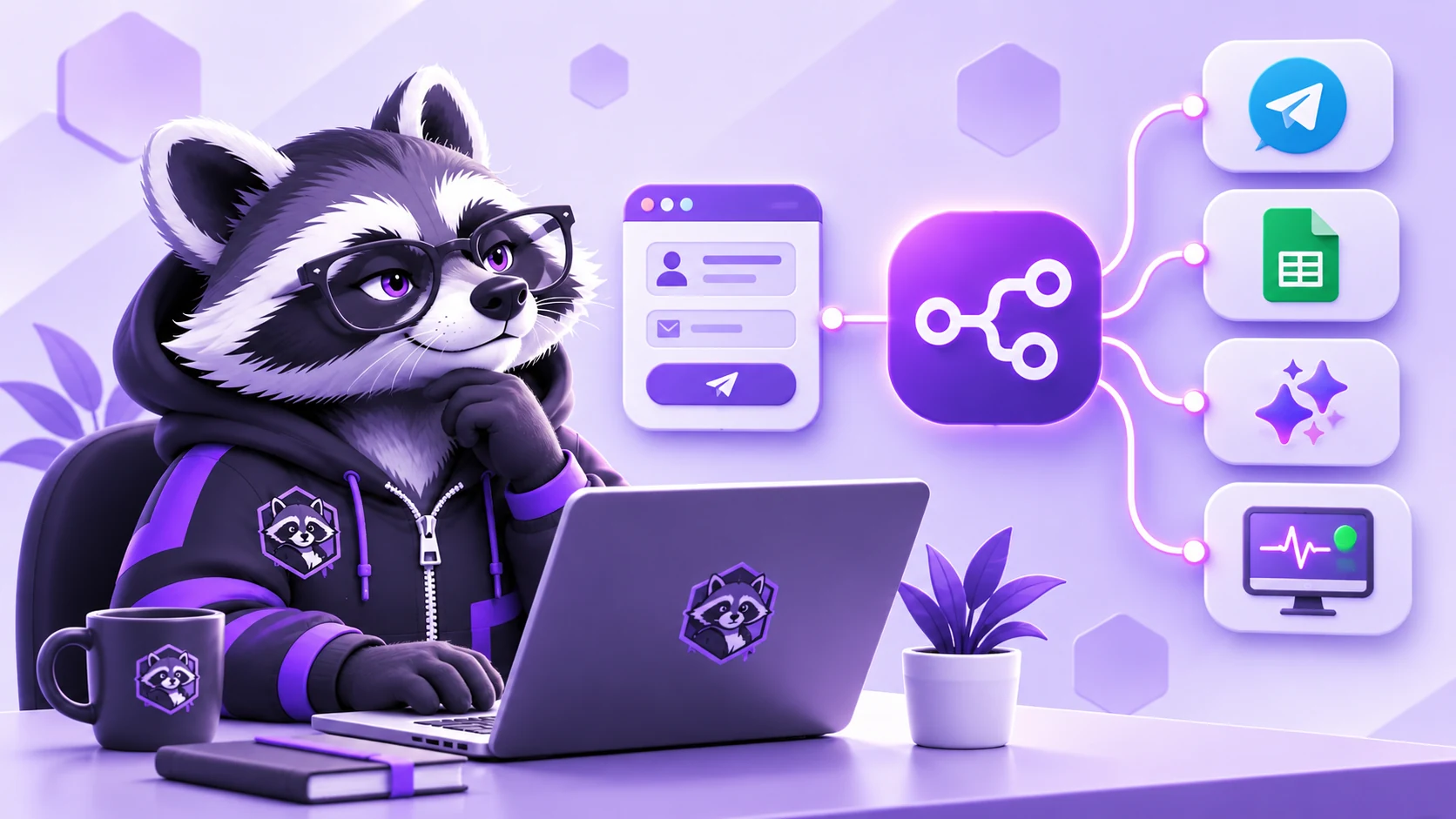
A customer submits a contact form. Someone reads the email, copies the phone number into a spreadsheet, sends a Telegram message and creates a task.
Each action takes only a few minutes.
But when the same process happens dozens of times every day, those minutes add up.
This is where n8n becomes useful.
What is n8n?
n8n is a workflow automation platform that connects applications and allows them to exchange information.
It can receive data from a website, process it and trigger actions in other services.
For example, when someone submits a contact form, n8n can validate the required fields, add the enquiry to Google Sheets and notify a manager through Telegram.
The process can run without someone manually copying the information.
One of its main advantages is a visual workflow editor.
Individual actions are represented as connected nodes.
However, I would not describe n8n as a tool that never requires technical knowledge.
Simple workflows can be created without programming. More advanced integrations often require an understanding of APIs, webhooks, JSON, authentication and error handling.
How workflows operate
A workflow is a sequence of actions connected by defined logic.
In n8n, these actions are represented by nodes.
Some nodes start a process, while others transform data or communicate with external services.
A workflow might begin with a webhook receiving information from a website.
The data can then be validated, filtered and passed to another service.
A basic workflow has three parts.
The first is a trigger, such as a form submission, incoming message or scheduled event.
The second is processing, which may involve checking information, applying conditions or calling an API.
The third is an action, such as creating a CRM record or sending a notification.
More complex workflows can include multiple branches, conditions and error-handling steps.
Automating website enquiries
Consider a service company based in Wrocław.
A customer submits a request through its website.
Instead of sending only an email, the form can deliver the information to n8n.
The workflow checks the submitted details, records the enquiry in Google Sheets and notifies the responsible employee through Telegram.
If the company uses a CRM, the workflow can also create a customer record.
The important part is keeping the process practical.
Not every business needs a complicated automation system.
Sometimes one notification and one reliable record are enough to make a meaningful difference.
Using Google Sheets
For smaller businesses, a spreadsheet can be a useful way to organize enquiries and basic operational data.
n8n can automatically add rows, update statuses and prepare summaries.
For example, a scheduled workflow can count the day's new enquiries and send a short report every evening.
This reduces the need to collect information manually.
However, Google Sheets is not a replacement for a database in every situation.
As the volume of data and number of connected processes grow, a different architecture may become necessary.
AI agents and n8n
n8n can connect language models to business workflows.
For example, an AI model can analyze a customer message and classify it by topic.
An enquiry about SEO can be routed to the appropriate specialist.
A report about a broken website form can be directed to the development team.
AI can also prepare draft responses for human review.
But it should not be given unlimited authority.
Financial transactions, important database changes and public content publication may require explicit approval.
Businesses should also control which personal information is shared with external AI providers.
SEO automation
For an SEO engineer, n8n can help collect information and respond to technical events.
A workflow can retrieve available performance data through the Google Search Console API.
It can then store impressions, clicks and other metrics in a spreadsheet or reporting system.
Another workflow can monitor important website URLs.
If a page begins returning an unexpected HTTP error, the system can notify the administrator.
However, technical monitoring is not the same as a complete SEO audit.
An HTTP status check cannot determine whether content satisfies search intent or identify every indexing problem.
Automation helps gather information. Interpreting that information still requires analysis.
Website availability monitoring
n8n can run scheduled HTTP requests to monitor websites.
For example, it might check a list of important pages every five minutes.
If a response does not meet the expected conditions, the workflow can send an alert.
But one failed request does not always mean the website is down.
Temporary network problems can produce false alarms.
A reliable workflow should include retries, event logging and limits on repeated notifications.
Otherwise, the monitoring system itself becomes another source of unnecessary work.
GitHub integration
n8n can also interact with GitHub.
It can create an issue after receiving a technical report or notify a team when a new release is published.
More advanced workflows can update repository files.
However, I would avoid allowing an automation to modify production code without appropriate safeguards.
Separate branches, pull requests, restricted permissions and automated checks are safer than unrestricted direct changes.
Automation should reduce operational risk rather than introduce new vulnerabilities.
PostgreSQL integration
When spreadsheets become insufficient, PostgreSQL can provide a more suitable data storage solution.
n8n can execute database queries and pass the results to other applications.
For example, a workflow can retrieve order statistics and send a daily summary to a manager.
It is also possible to connect an AI agent that helps query business data using natural language.
This requires careful access control.
I would start with read-only permissions, a limited set of tables and validation of generated queries.
Giving a language model unrestricted access to a production database is not a sensible default.
Hosting n8n
Businesses can use a managed cloud service or run n8n on their own infrastructure.
Self-hosting provides greater control over the environment.
It also introduces responsibilities for updates, backups, security and availability.
Docker is one possible deployment approach.
A production installation should use HTTPS, appropriate credential protection, access controls and reliable backups.
Businesses should also review n8n licensing conditions, particularly when providing automation functionality as a commercial service.
Privacy and GDPR
Business automation often involves personal data.
Names, email addresses, phone numbers and customer messages may be subject to GDPR requirements in the European Union.
Organizations need a valid legal basis for processing, appropriate security measures and clear data retention practices.
When information is shared with third-party services, the relevant processing agreements and transfer conditions should be reviewed.
A useful principle is data minimization.
Only send information that is actually required for a particular workflow.
Where to start
I would not begin by building twenty complicated workflows.
I would choose one repetitive task that employees perform regularly.
For example, copying website enquiries into a spreadsheet.
First, document how the task currently works.
Then identify which information is required, what should happen automatically and how errors will be handled.
Build a small workflow and test it using controlled examples.
Once it works reliably, expand to the next process.
Final thoughts
What makes n8n useful is not the number of integrations or the appearance of its workflow diagrams.
Its value comes from reducing repetitive work.
Enquiries can reach the right people automatically. Reports can be prepared without manual copying. Technical problems can be detected before customers report them.
But automation cannot fix a poorly organized business process.
If nobody knows who is responsible for a customer or what should happen after an enquiry arrives, an automated workflow will simply move the confusion faster.
That is why I would always begin with one question.
Which specific task do we want to stop doing manually?